Scanning
Local mode uses your phone as the BLE observer (scanning) and central (connect, control) Bluetooth roles. Remote mode works similarly but through ESP32.
Permissions
Local scan needs Bluetooth and (on older Android versions) location permissions for LE scanning. The app does not use location for tracking - see privacy policy). Remote mode works without those permissions when you connect only to an ESP32.
Scan
By default application opens local scan mode which lists nearby devices and tries to decode/fingerprint their advertisements:
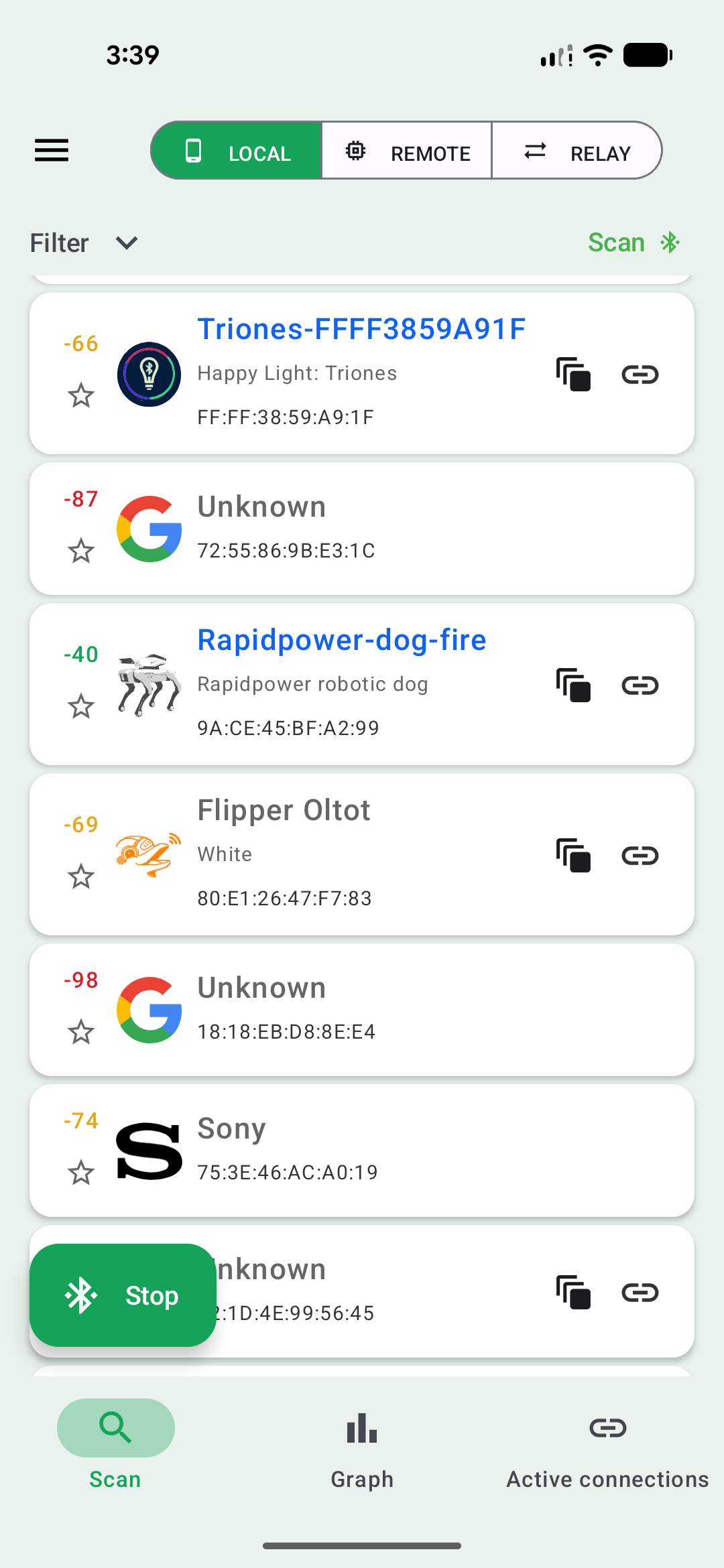
Each entry has
- RSSI signal strength (left) in dBm. Smaller, green value = stronger signal (device is closer)
- Option to add it to favourities (useful for filtering)
- icon - in case it matches a decoder
- name, fingerprint information (if available)
- BDADDR (“MAC”) address of the device
- for connectable devices there are additional buttons on the right: quick action, manual connect. More details in connections section
Tapping on the device name expands more information on packet structure - raw hex:
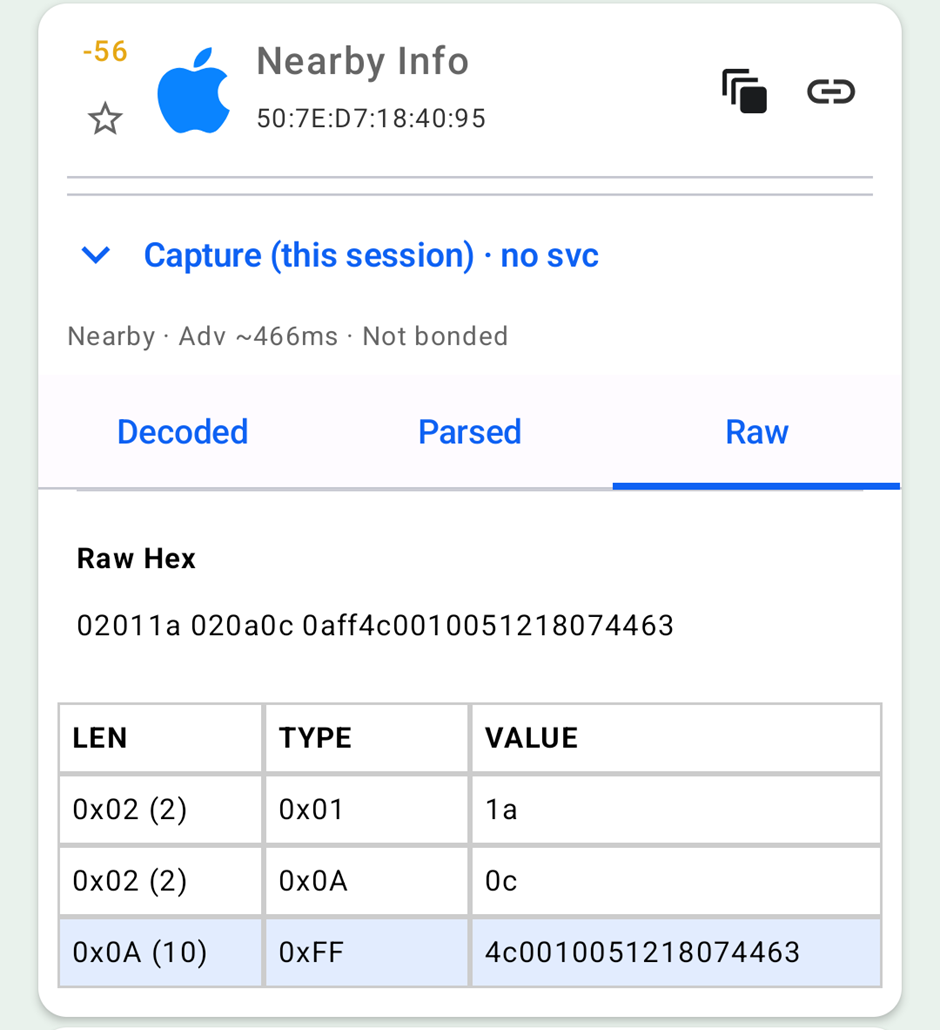
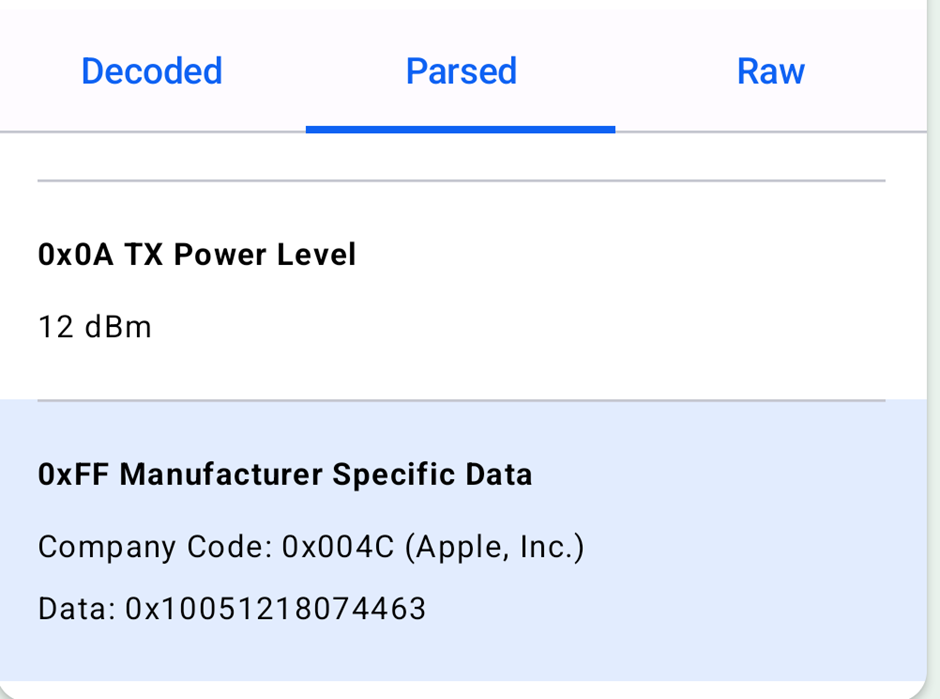
parsed Len Type Value (according to Bluetooth specification):
optionally decoded by a matching script (tap on the script name for more info):
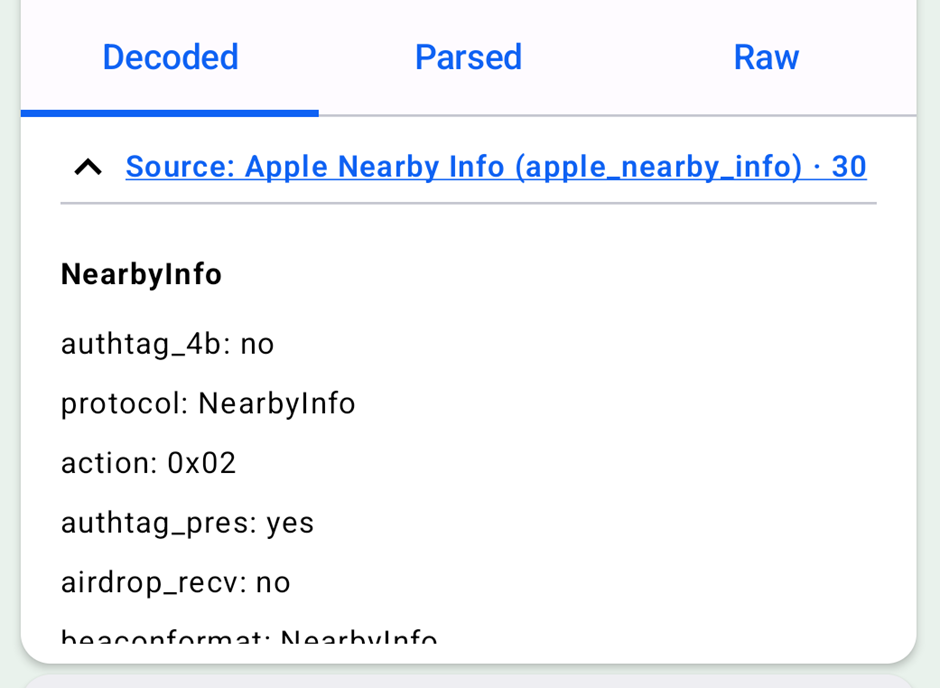
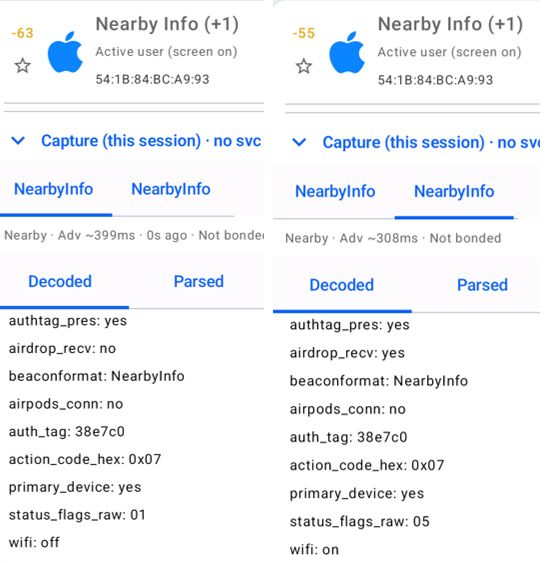
When a device rotates advertising payloads, switch between snapshot tabs on the expanded card.
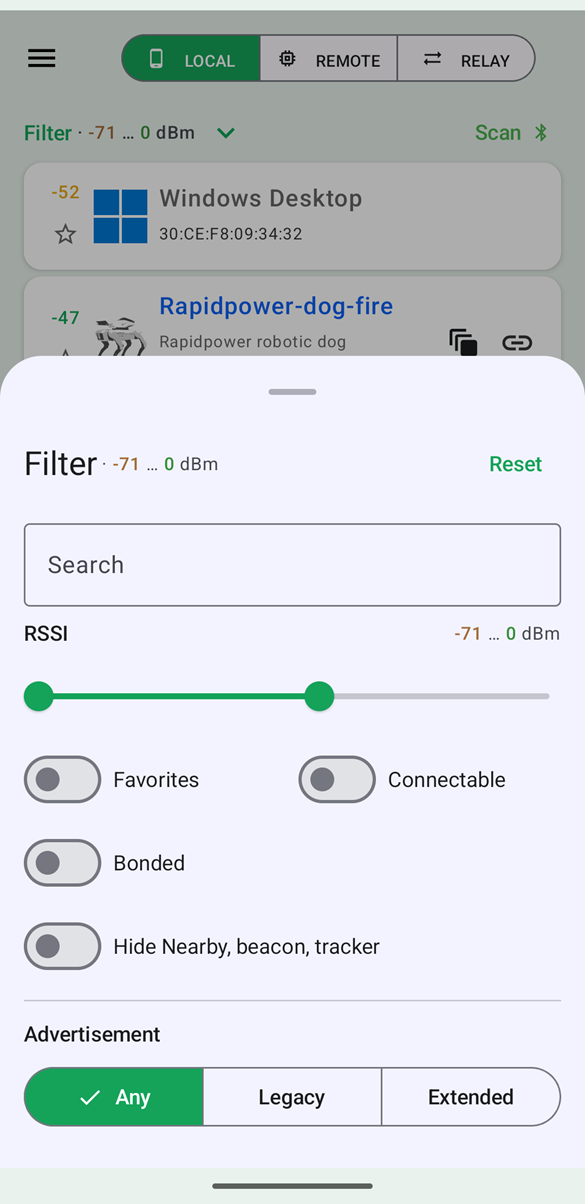
Scanning times-out after a configurable time. Cards grey out if the device has not been seen for a configurable interval. Swipe down to refresh the list. Filter allows you to narrow the list by signal strength (slider), name, type, connectable, …. Especially “Hide nearby, beacon, tracker” might be useful to filter-out the always abundant phones and trackers.
Graph
Plot RSSI over time for selected devices while scanning. Useful for range testing and comparing signal strength.
Active connections
View and manage open GATT connections from local scan. Jump from a connected device to Device Services for reads, writes, notifications, and scripts.