Check headset for known vulnerabilities
A typical headset may be vulnerable to several known attacks.
WhisperPair
WhisperPair (CVE-2025-36911) is an attack that allows for unauthenticated pairing (audio hijacking, …) and remote tracking via Google’s Find Hub Network. It exploits improper implementation of Google’s Fast Pair protocol that is developed to make the pairing “magically easy”. When you unpack your new headset (or set it to pairing mode) it starts broadcasting a short ID. Your phone asks Google for the details of device associated with this ID, including a picture (displayed in a popup on the phone) and the product public key. Next, a simplified pairing is performed based on this key and device address, optionally followed by adding the device to Find Hub for tracking:
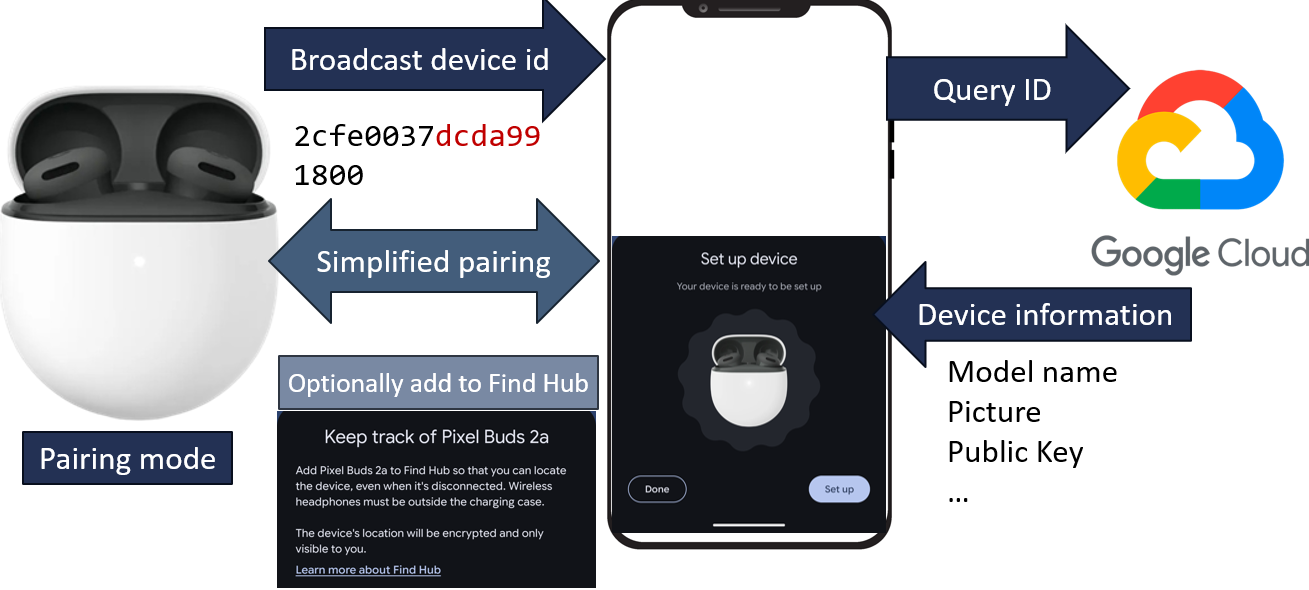
This is expected behaviour for pairing mode.
WhisperPair attack exploits the fact that many implementations allow to perform this process also in normal (already paired mode):
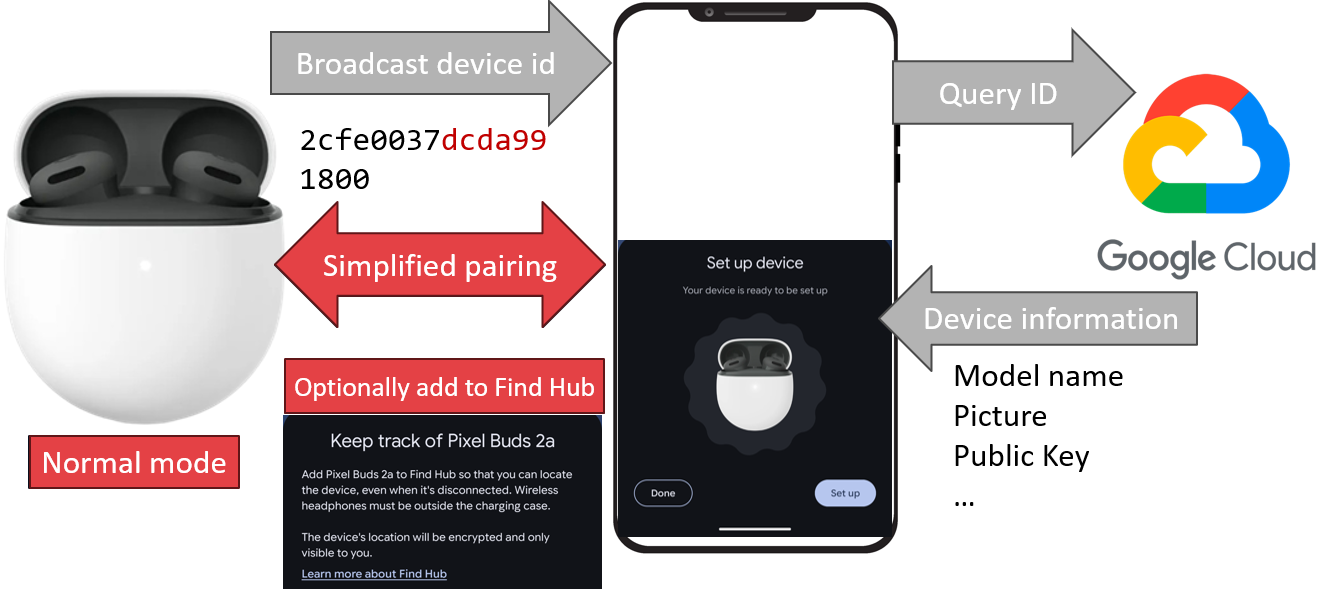
It means that anyone in Bluetooth range potentially can eavesdrop and track you.
How to check if your headset is vulnerable
There is a list of vulnerable devices on the WhisperPair website. However, this list is not complete, and also does not answer if your headset has been patched already.
WhisperPair researchers published a testing tool on GitHub, which may be challenging to setup if you’re not familiar with Linux.
You can check for WhisperPair vulnerability using BLESPloit in just a few taps. The script confirms whether the target device responds to the first probe request. In order to build this request properly, we need to have a matching public key. Currently BLESPloit does not retrieve it from Google, but uses keys already publised by WhisperPair researchers. Therefore the full test is limited only to selected models. Moreover, the encryption involves MAC (“BDADDR”) address of the device, which is not available in iOS (to test using iPhone you will need external esp32).
Start with selecting the target device, usually Fast Pair icon:
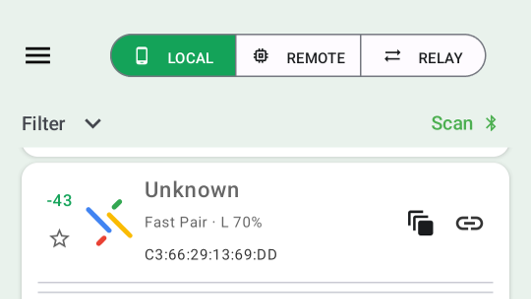
in some cases might be fingerprinted to specific model):

The easiest to use is a “Quick Action” auto_awesome_motion option (you can also use link manual connection and then “Scripts”):
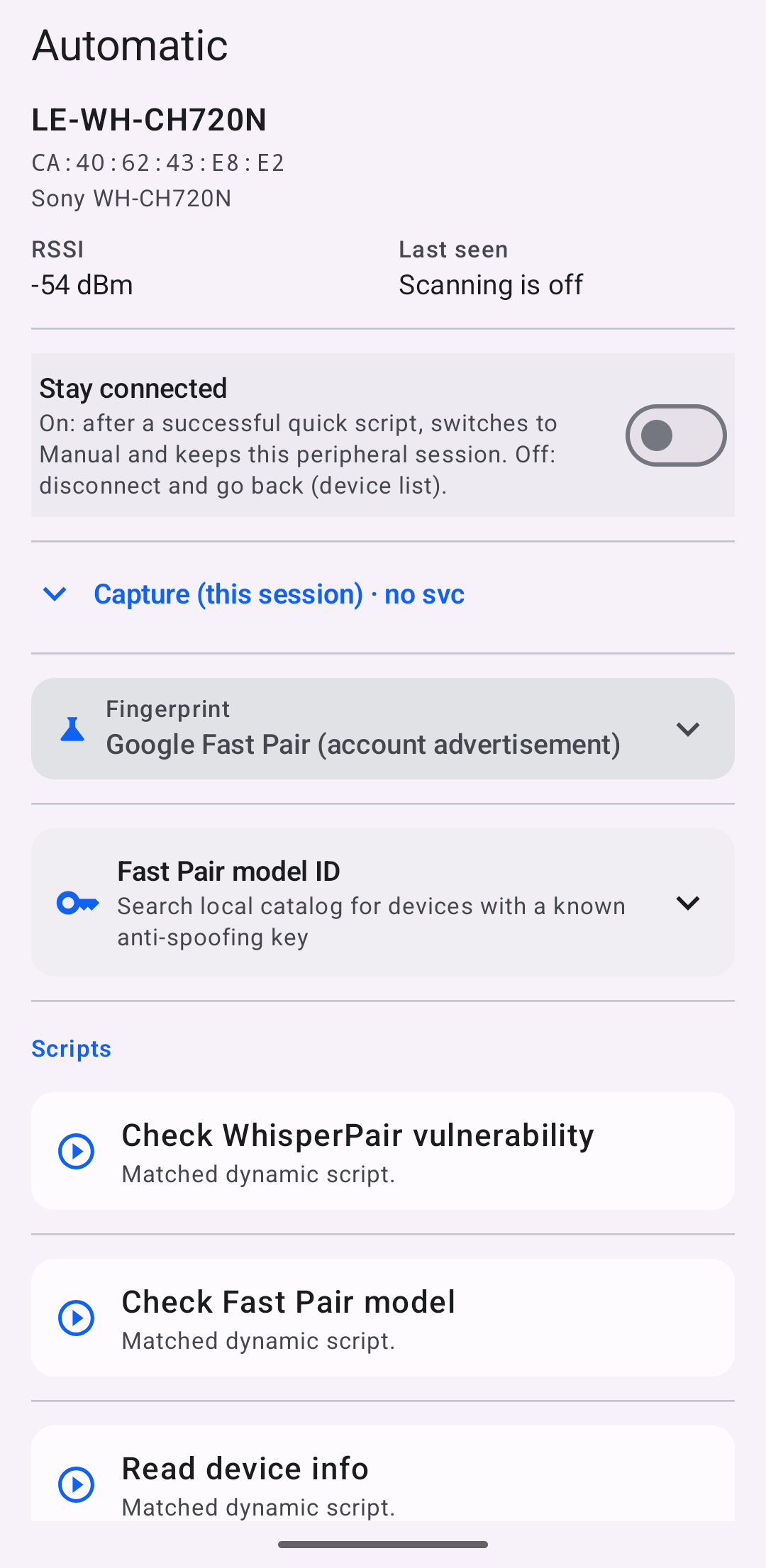
Check Fast Pair model - connects to device and tries to retrieve the Model ID.
Check WhisperPair vulnerability - connects to device, tries to retrieve the Model ID and proceed with the WhisperPair check.
If you don’t see these options it means that the device is not broadcasting the FastPair service, you can connect to it and browse the services (Read device info, Discover services and disconnect).
In normal mode the device does not broadcast the ID. For many models it can however be retrieved by connecting to the device and querying Fast Pair Model ID characteristic (UUID: FE2C1233-8366-4814-8EB0-01DE32100BEA). Some devices may not respond correctly or ignore the request. In such a case you can manually browse available keys by looking up device model:
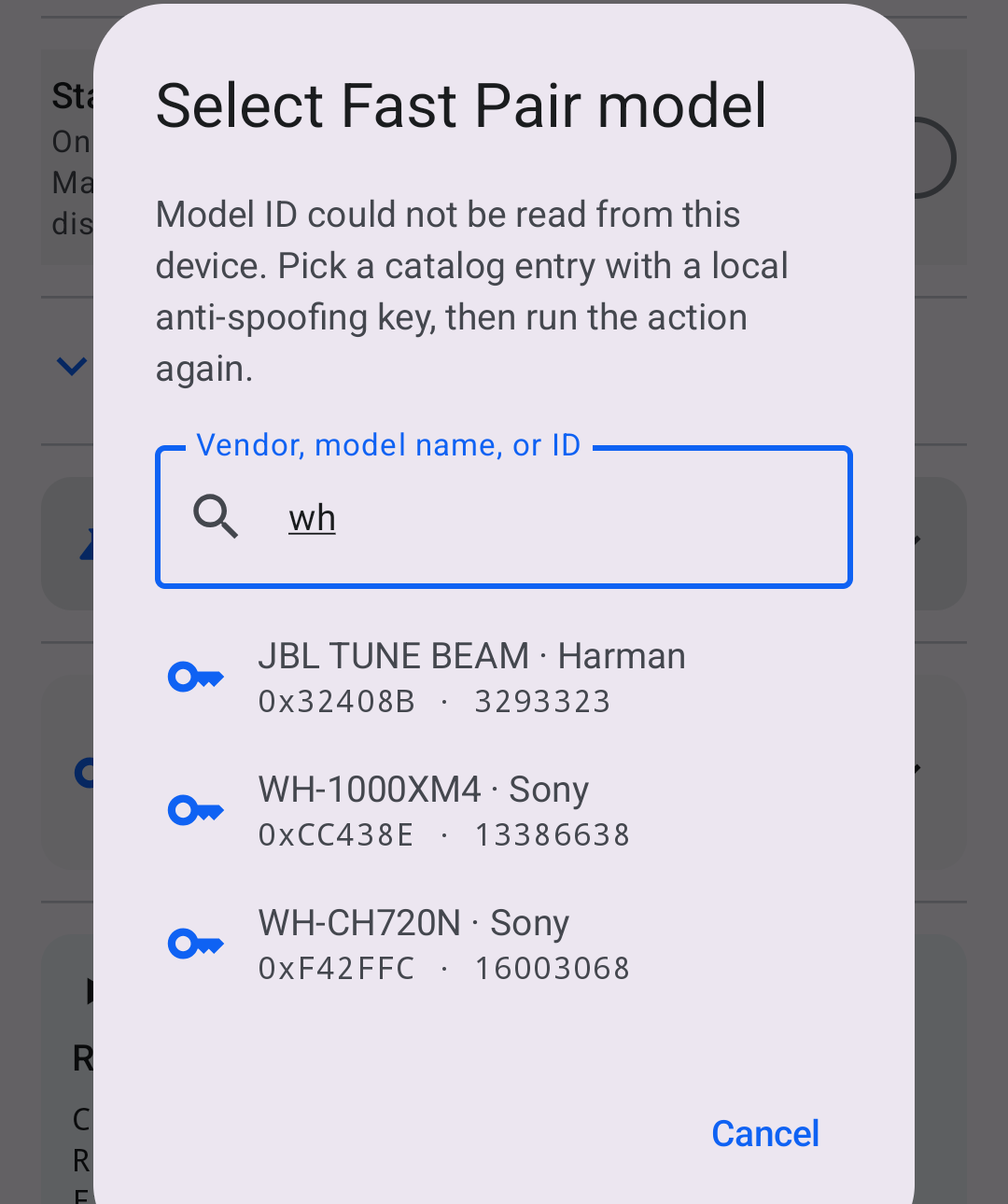
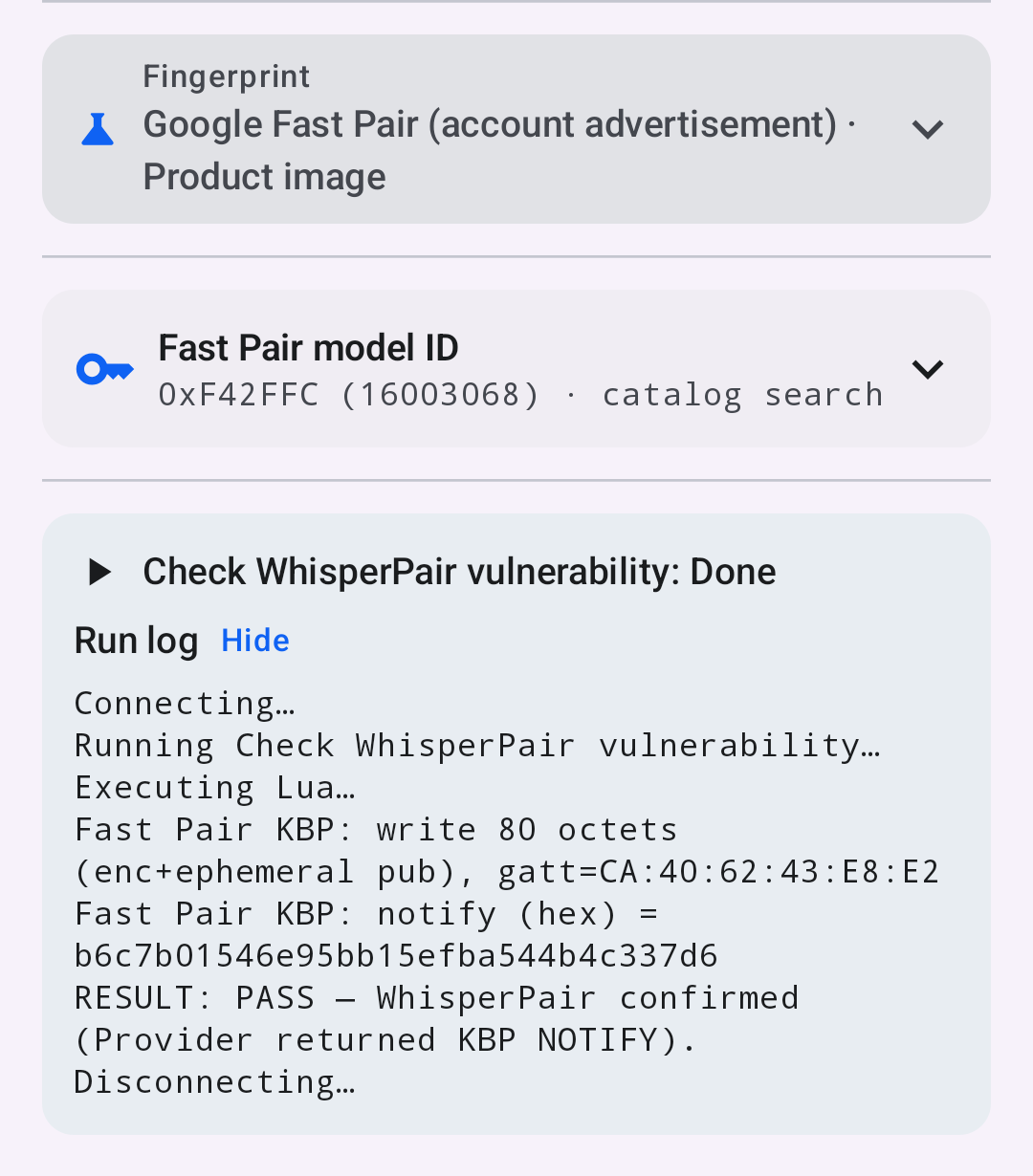
After confirming the model run the “Check Whisperpair vulnerability” again. Example result:
Airoha
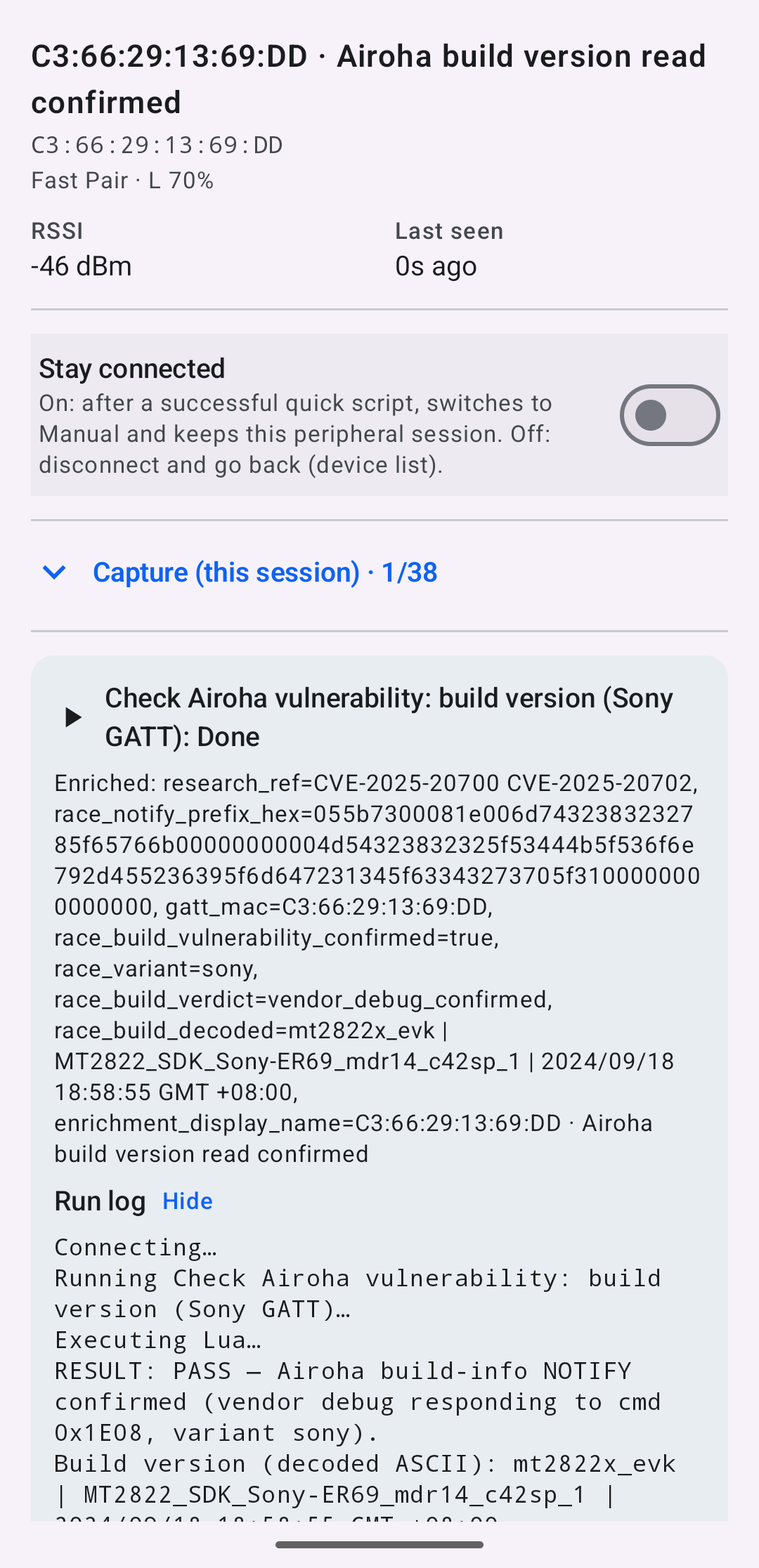
Another vulnerability widespread in headsets is in the Airoha (CVE-2025-20700, CVE-2025-20701, and CVE-2025-20702). Among others, it allows for unauthenticated access to internal memory.
Similarly to WhisperPair, the easiest to check it is using the Quick Action:
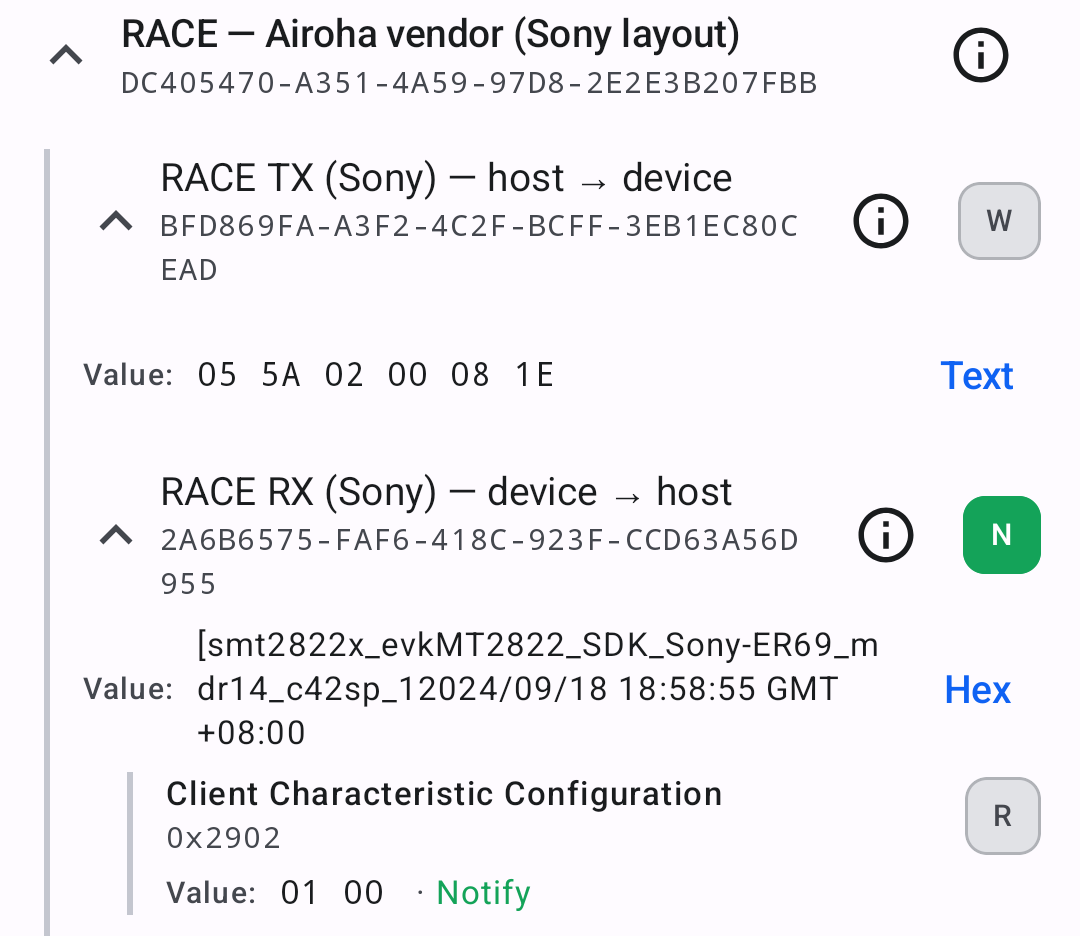
You can also check it manually after connecting to the device. If the Airoha service is available, it will be annotated:
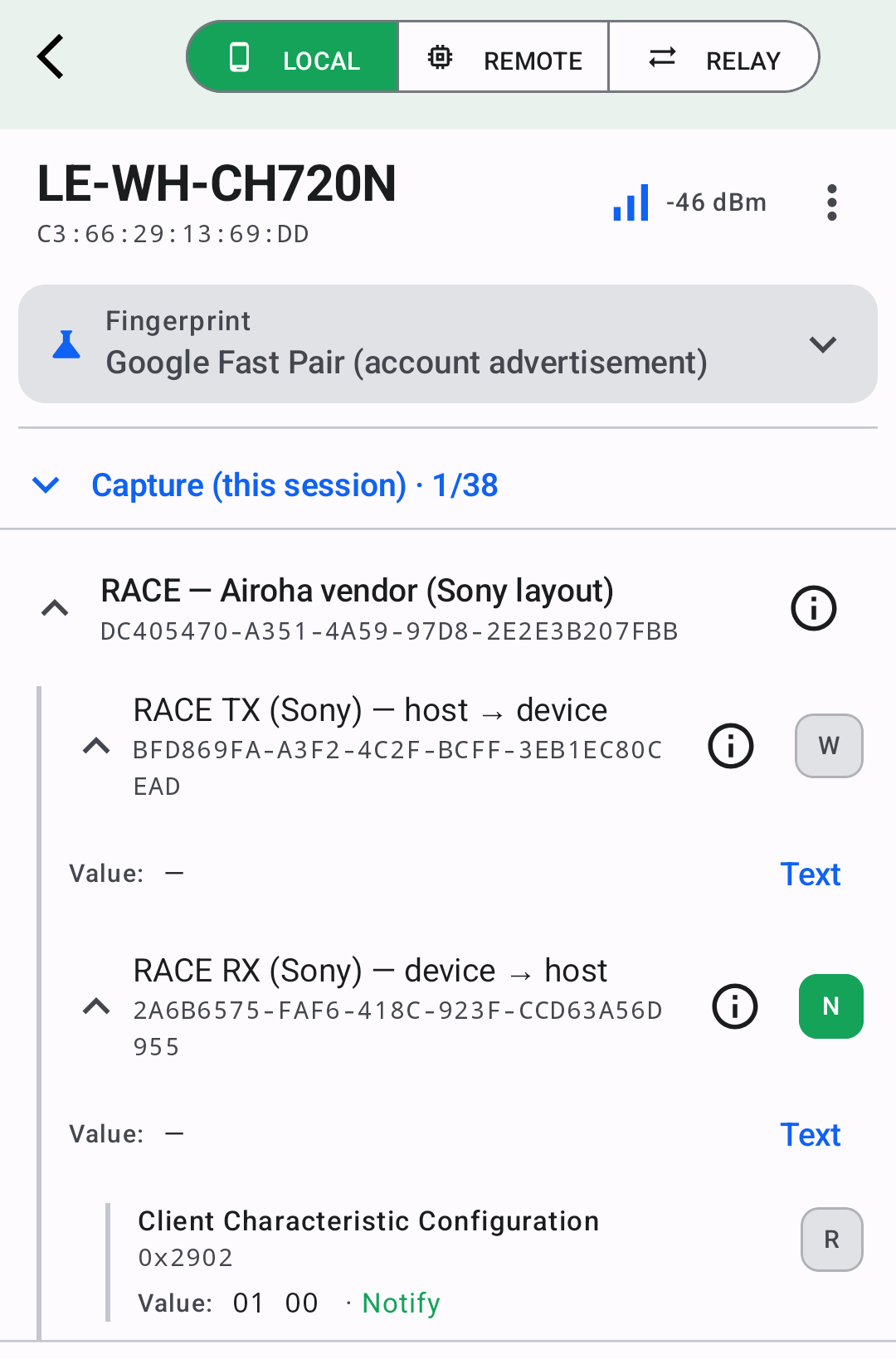
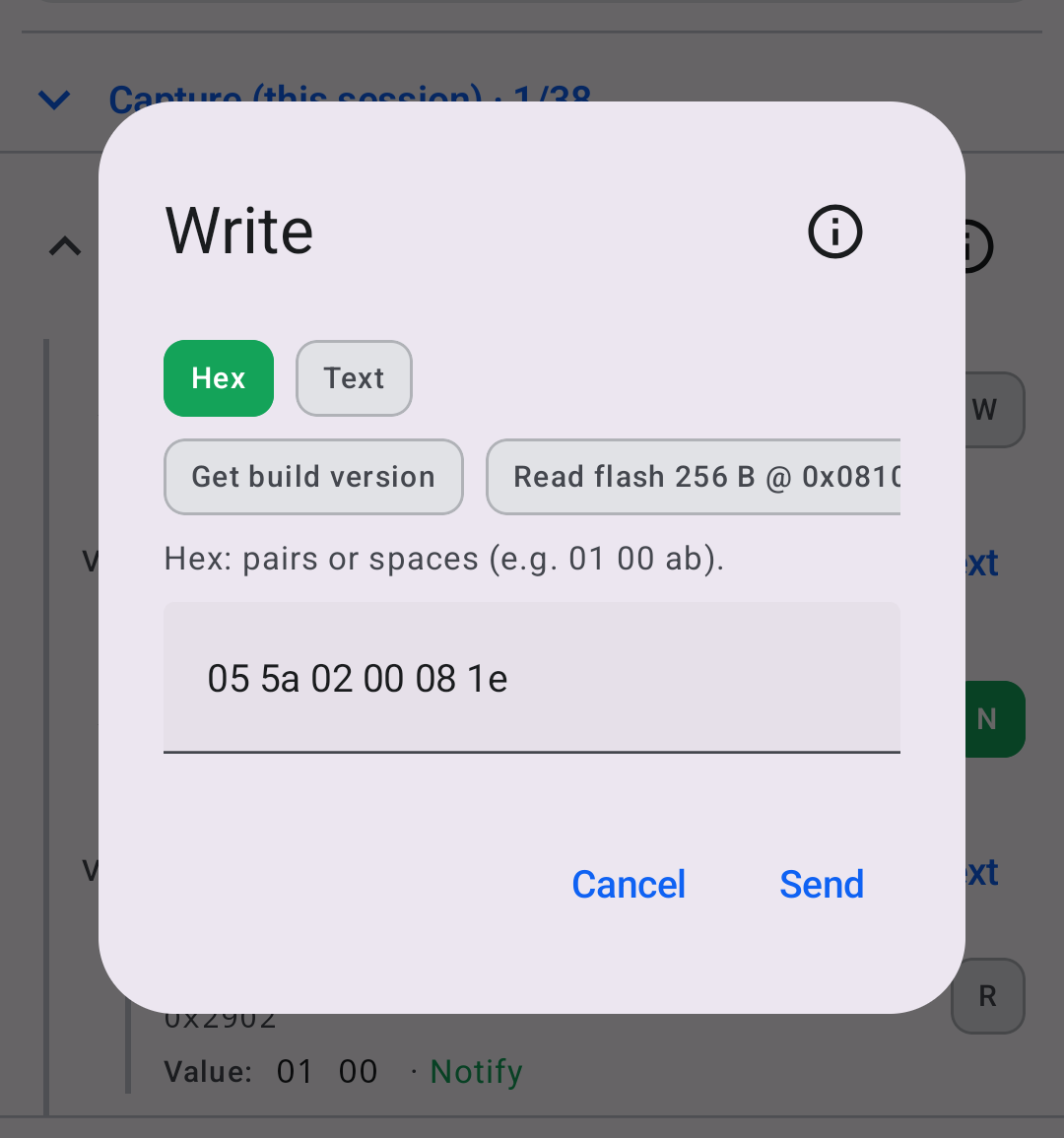
You need to subscribe (“N”) to the “RX” to get the response automatically, then select “W” (write) to send a packet. A few templates are already available to test:
The result comes back in the “RX”:
More information about this attack: https://insinuator.net/2025/12/bluetooth-headphone-jacking-full-disclosure-of-airoha-race-vulnerabilities/
Simulate
You can also simulate the headset and check these vulnerabilities in a controlled environment. Upload “Sony WH-CH720N” to the external ESP32 and try the scripts against it:
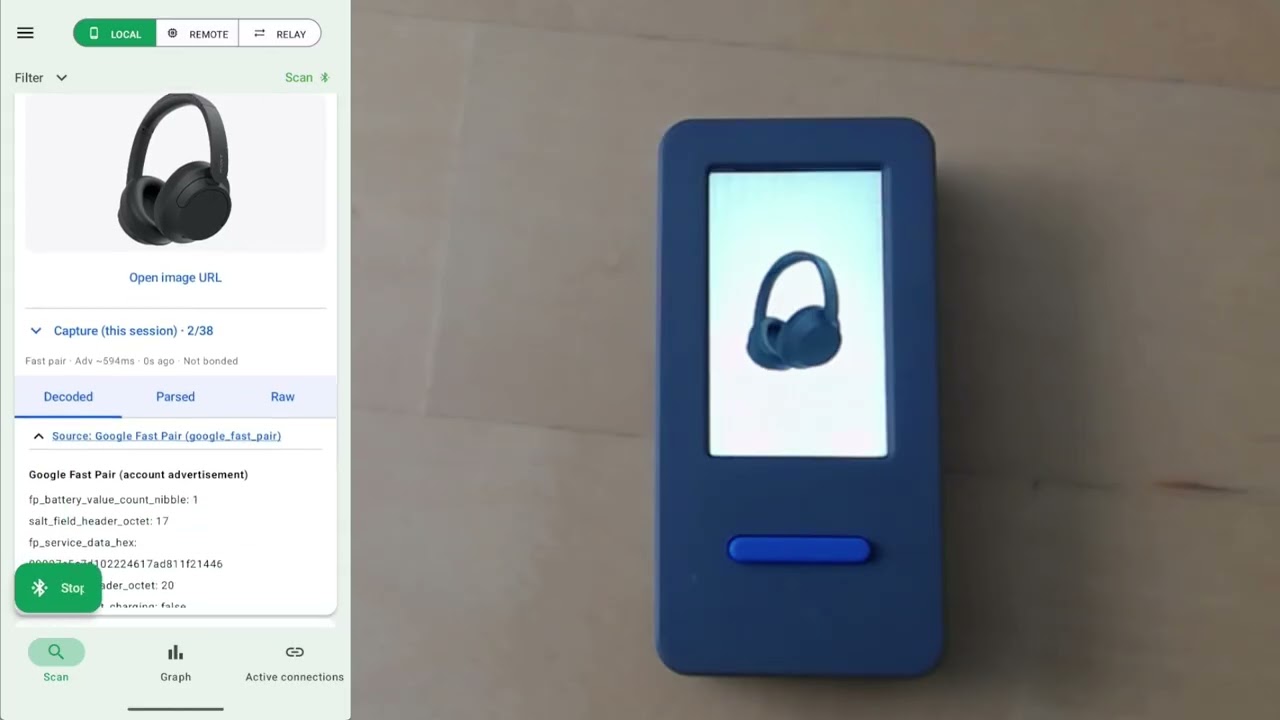
Simulation allows to switch from pairing to normal mode. The simulated device differs from the original Sony headset with a small detail: it returns the device Model ID for Fast Pair. You can edit the device simulation source code in Device Library.